Know what each project needs
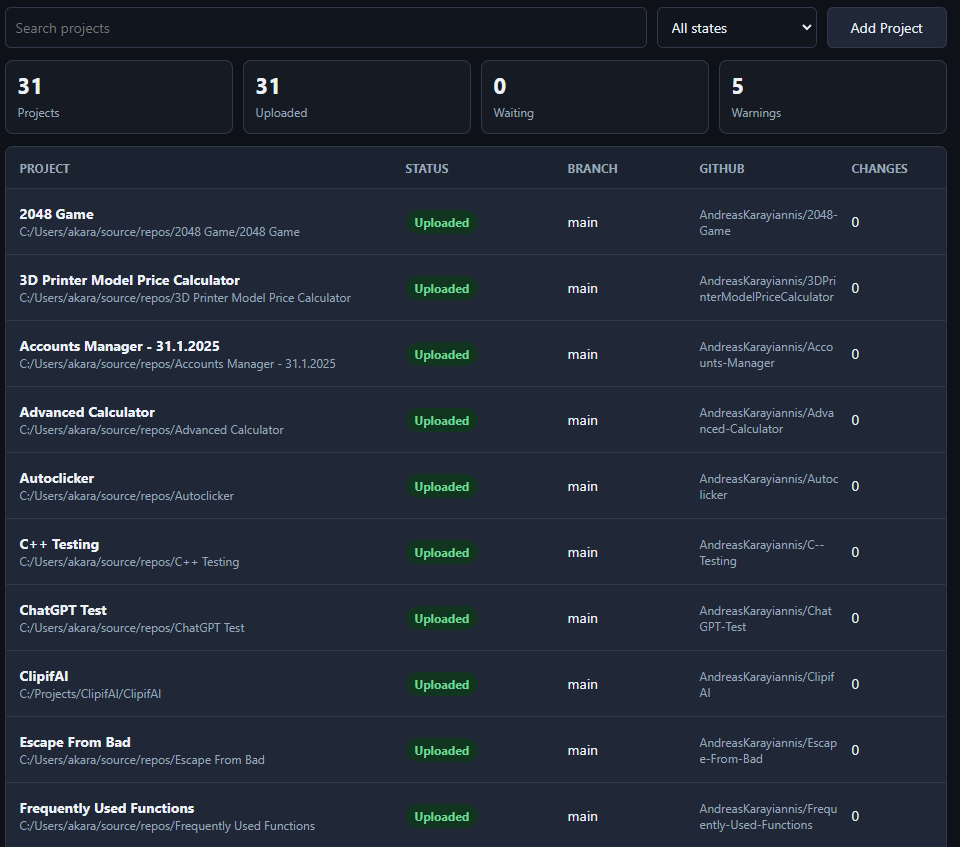
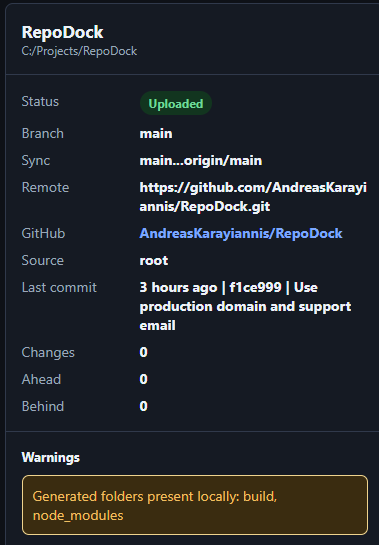
See Git status, GitHub connection, branch, changed files, warnings, and sync state before you touch a repo.
 RepoDock
Turn local folders into organized GitHub projects without memorizing commands. RepoDock shows what changed, what is connected, and what needs attention before you push.
RepoDock is built for people who want the power of GitHub without guessing which command to run, whether a repo is connected, or why a push failed.
See Git status, GitHub connection, branch, changed files, warnings, and sync state before you touch a repo.
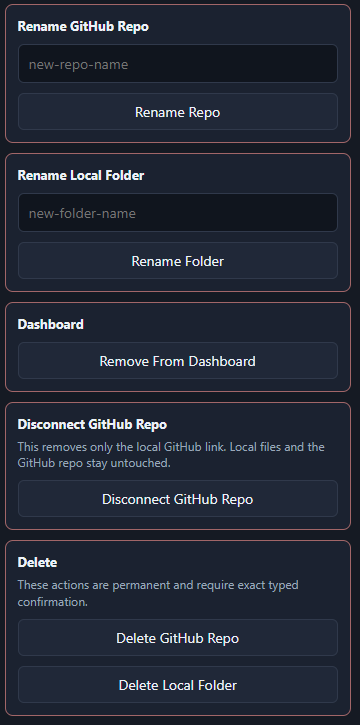
Create private GitHub repos, connect existing repos, refresh renamed remotes, or disconnect the wrong link without deleting files.
RepoDock checks for missing Git setup, secret-looking files, generated folders, old remote history, and pull conflicts before upload actions.
Your code stays on your computer. RepoDock uses Git and GitHub CLI behind the scenes and only pushes when you confirm.
Scan all your local projects and immediately see which ones are connected, changed, or need attention.
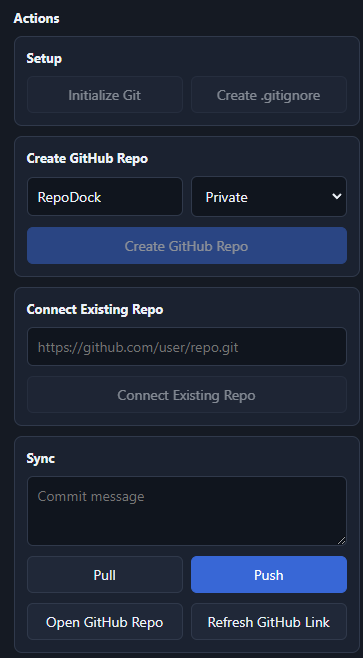
Create repos, connect existing repos, refresh renamed links, disconnect remotes, and manage safer repo changes.
Switch theme, set repo defaults, export/import dashboard backups, and check local setup details.
RepoDock keeps the normal Git flow, but turns the important choices into readable steps, confirmations, and warnings.
RepoDock is sold as a one-time desktop license. After checkout, you receive a license key, install the app, and activate this computer.
Includes the desktop app, 2 device activations, and access to this release.
Secure checkout by Stripe. Your license is for RepoDock desktop activation; platform-specific downloads are released as they are tested.RepoDock uses the same license system across desktop platforms. Windows is available now, while Linux and macOS builds are prepared for testing before public release.
Git and GitHub CLI are required for GitHub actions on every platform. Windows may show a SmartScreen warning because RepoDock is new and not code-signed yet.
Setup installer for Windows 10 or newer.
AppImage and .deb builds after Linux testing.
DMG and ZIP builds after Mac testing.
No. RepoDock is independent software. It helps you use Git and GitHub, but it is not made by GitHub.
Yes. RepoDock is a friendly control panel over the real tools. Git handles local version control, and GitHub CLI handles account actions such as creating repositories.
RepoDock is built as a desktop app. Each operating system needs its own package, so Windows, Linux, and macOS builds are handled separately instead of sharing one installer.
Yes. You can download the installer again and activate with your license key. RepoDock also includes backup export/import for your dashboard mappings.
RepoDock is new and not code-signed yet. Windows SmartScreen may ask for confirmation. Only download RepoDock from repodock.dev, then choose More info and Run anyway if you trust the installer.
No. RepoDock does not push anything until you choose an action and confirm it. It also warns about common secret-looking files, but you should still review every project before pushing.
Yes. You can connect an existing repo, pull remote changes, refresh a renamed GitHub link, or disconnect the local origin link without deleting the GitHub repo.
Each license currently includes 2 device activations. If you hit the limit by mistake, contact support@repodock.dev.